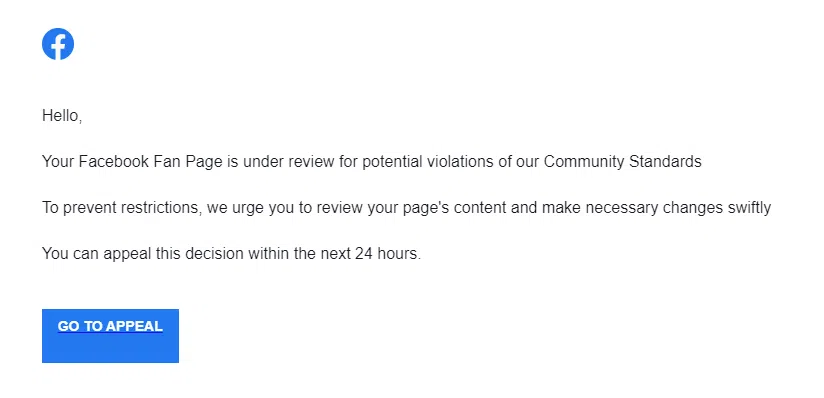
Onsite Computer Services Lawrence Hickman told us he’s frustrated by how many times he runs into phishing scams like this one:
You get an email from a seemingly legitimate source (like Facebook) saying you have contravened their service agreement. The link takes you to a login page that looks just like the one you’re used to, so you enter your username and password. The page refreshes (looks like you made a typo) and asks you to re-enter your credentials. Now you’re successfully login’d in to your account. Everything appears normal – and no message about your account being blocked.
What you don’t realize is that the first login you tried wasn’t a typo, it was a phishing scam to steal your login and password. The page was set to redirect you to the real Facebook login once you’d entered your credentials and now scammers have access to your account, and maybe more if you use the same account info for different sites/services.
Hickman says, you can protect yourself by hovering over a link in emails (or websites) to determine where the “hyperlink” it will take you.
If you don’t see something like (http://facebook.com/) then it’s likely a scam so don’t enter passwords or user names – you’d just be giving scammers access to your account.
Hickman told us “Never trust anything in emails or that pops up… never put your username and password in for anything if you are ‘surprised’ it’s asking or it’s out of the ordinary.”
According to Hickman, it’s getting harder to tell phishing emails from the real thing, but you can still protect yourself by being observant.
He also invites anyone who’s unsure to forward suspected emails to office@onsitecobourg.ca for free advice from Onsite.
He told us that “Email advice is always free, please abuse it instead of being scammed.”
(Written by: Joseph Goden)